How-to
How to make a PDF fillable for signature
Most PDFs are flat: there is nowhere to type, tick or sign. Here is how to turn one into a form your signer fills in and signs online, without drawing every box by hand.
Step by step
From a flat PDF to a signing link
- 1
Upload the PDF
Open a new document and drop in the PDF (up to 20 MB). If it already has fillable form fields, they come in as they are. - 2
Let the fields place themselves
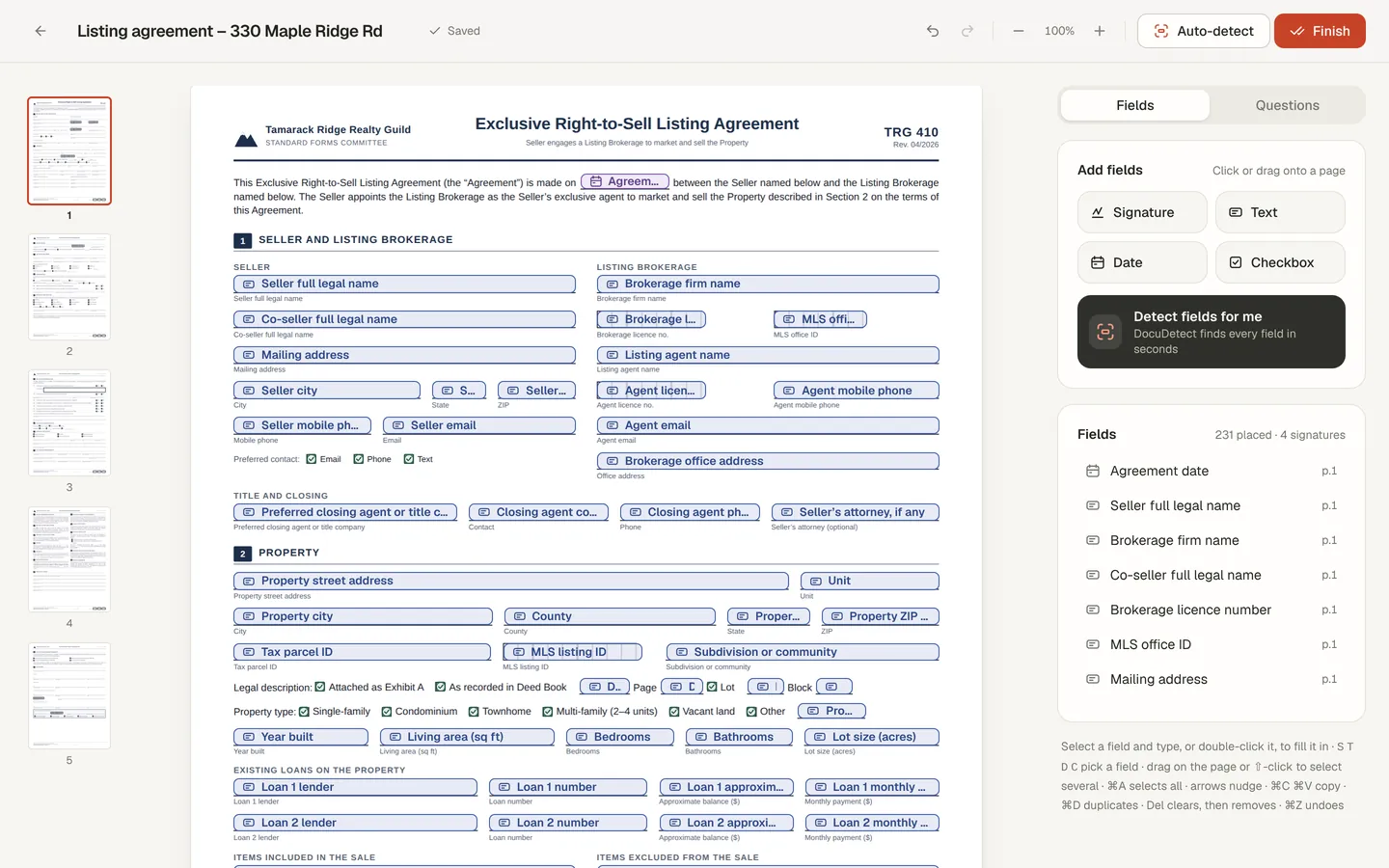
Choose Detect fields for me. DocuDetect reads the pages and places signature, date, text and checkbox fields where the blanks, boxes and signature lines are. - 3
Check every field
Drag to move or resize, add a missing field from the panel, delete extras and mark which ones the signer must fill. Detection is a starting point, so look at every page. - 4
Fill in what you already know
Double-click a field to type your own values, such as names, addresses and dates. They are printed on the PDF and locked for the signer. - 5
Send it, or sign it yourself
Choose Finish. Add your signer's name and email to send a private signing link, or fill and sign it yourself. Your signer needs no account. - 6
Get the signed PDF
When it is signed you both get the finished PDF by email, with a certificate of completion that records when it was sent, viewed and signed.
What you are looking at
Fillable PDF or signing link?
“Fillable PDF” can mean two things. One is a PDF with form fields that someone fills in a PDF reader and emails back. The other is a document someone fills in and signs online, with a record of who signed and when.
DocuDetect does the second. Your signer opens a link, fills the fields you placed, signs, and you both get a finished PDF with their answers and signature printed on it. If you only need the first kind, a fillable PDF file to hand out, the field detection tool places the fields and exports one.
Long form with many fields for the signer? Turn on guided questions so they answer one question per screen, then review the whole document before signing.
Good to know
Limits
- Field types: signature, date, text and checkbox. No initials type and no radio groups.
- One signer per document. For several signers in order, use Business workflows.
- Up to 500 fields and 20 MB per PDF. A PDF locked with a password cannot be used.