For real estate agents
Listing paperwork, ready to sign without placing every field
State and association forms run to pages of checkboxes, dates and small blanks. Upload the PDF and DocuDetect places the signature, date, text and checkbox fields for you. Fill in what you already know, check the result, and send it to your seller, who signs on a phone without an account.
A listing, start to finish
From blank form to signed PDF
- 1
Upload the listing agreement or disclosure
Any PDF up to 20 MB, including forms that already have fillable fields. Long forms are fine: a document can hold up to 500 fields. - 2
The fields place themselves
DocuDetect reads the pages and places signature, date, text and checkbox fields where they belong. Move, resize, add or delete any of them before you send. - 3
Fill in what you already know
Type your brokerage, the property address, the price and the dates straight onto the page. What you fill in is printed on the document and locked for the signer. - 4
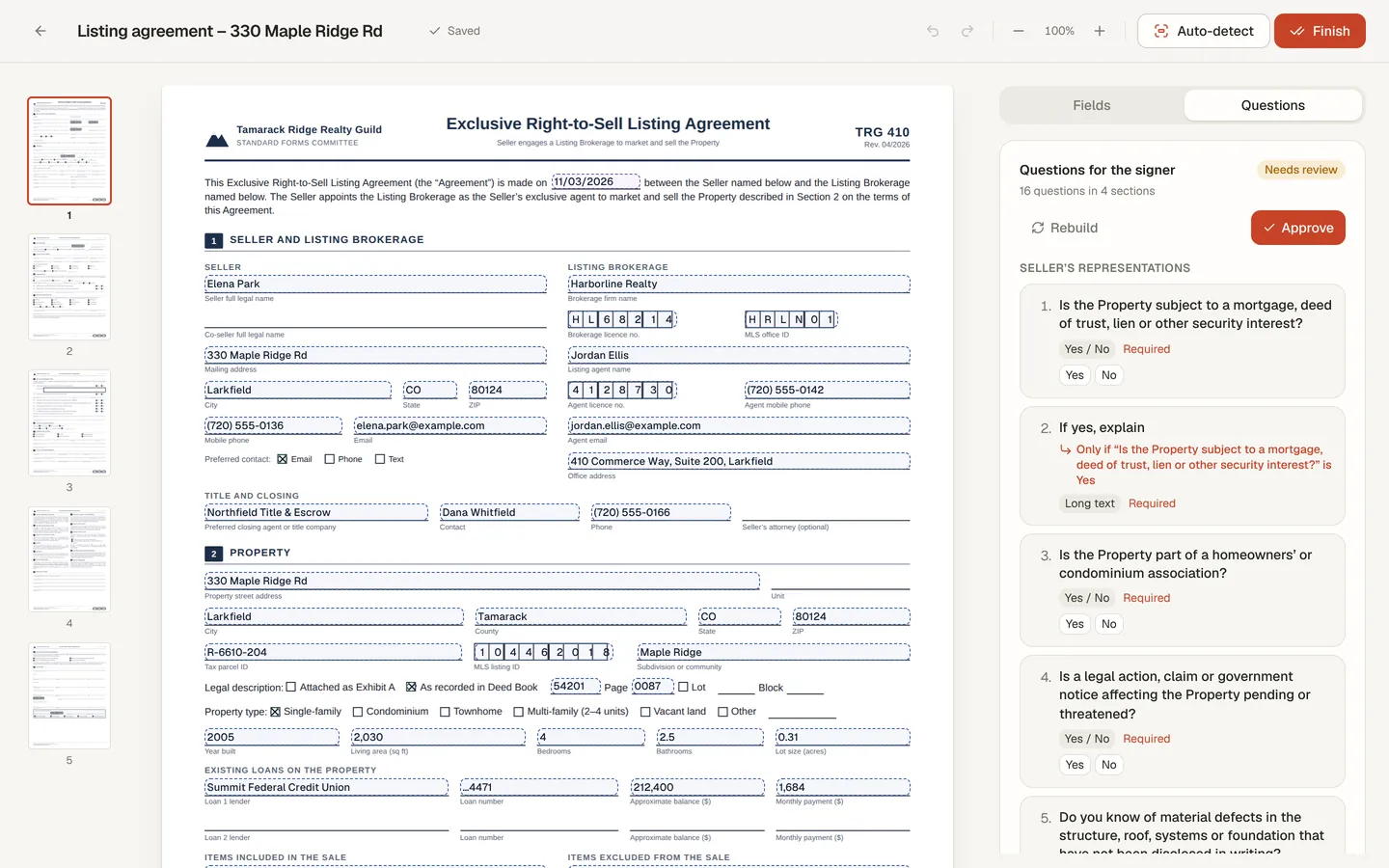
Let the seller answer in plain questions
For a long form, DocuDetect can turn the seller's fields into guided questions, one per screen. You review and approve them first. - 5
Send to your seller
Your seller gets a private signing link by email and signs on a phone, tablet or laptop. Reminder emails go out until the link expires, and you can send one yourself at any time. - 6
Keep the signed copy and the certificate
When it is signed, you both get the finished PDF by email with a certificate of completion attached. Each page carries a Document ID that ties it to the certificate.
What it looks like
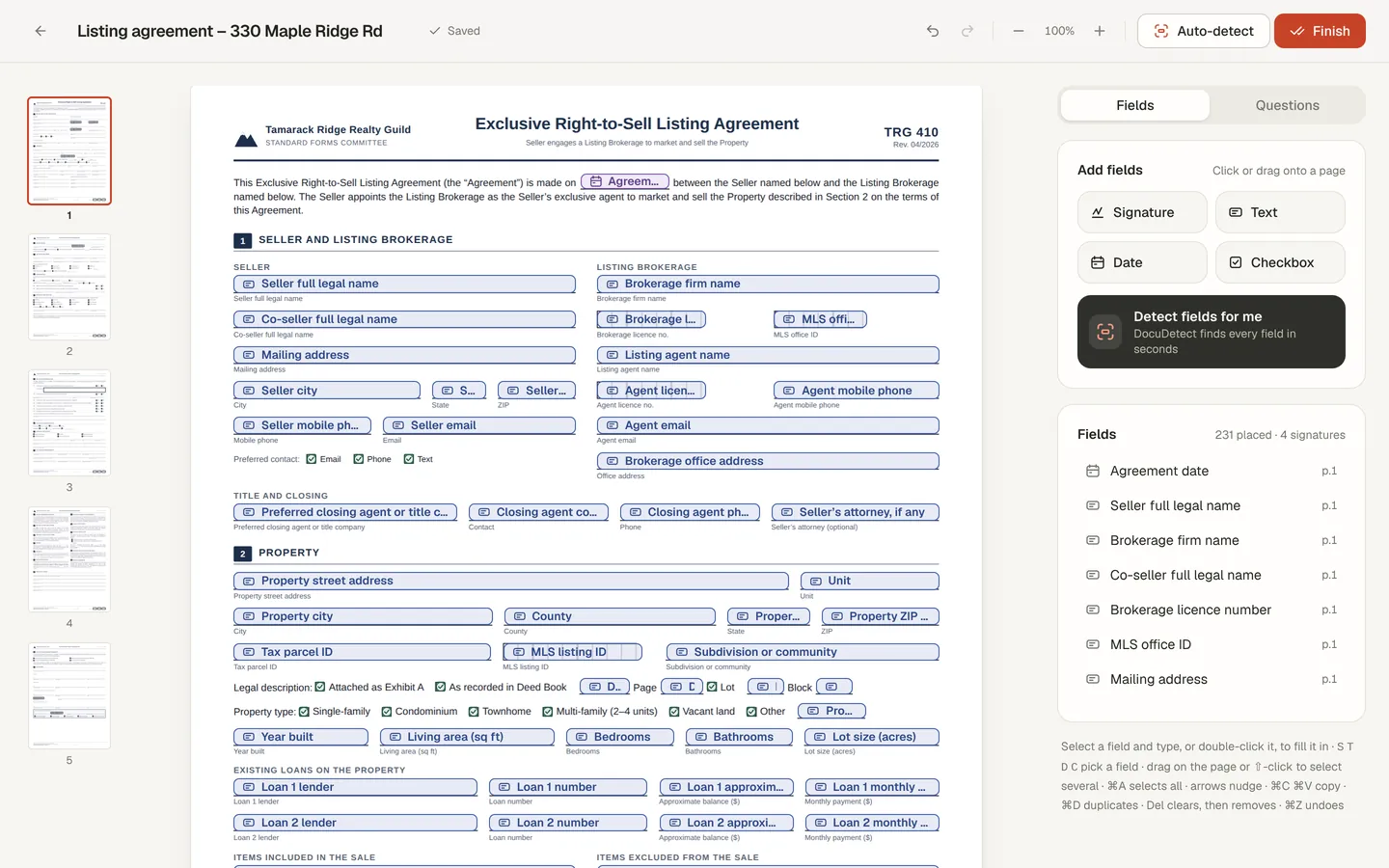
Guided signing
Your seller answers questions, not a 5-page form
DocuDetect groups the seller's open fields into short sections of questions: yes or no, pick one, dates, text. A follow-up such as “If yes, explain” only appears when the answer calls for it.
You see every question before it goes out, can edit the wording, and approve it. The seller answers one question per screen, then reviews every page of the actual document before signing. The certificate of completion records that review.
The answers are the seller's own. DocuDetect never fills in a seller's disclosure answers for them.
Four ways to get a form in
Upload in the app
Email it in
Ask ChatGPT or Claude
Stay in DocuSign
Folders per deal
Who has opened or signed
What it is not
Honest limits
- One signer per document. For a co-seller, send them their own copy, or use Business workflows for several signers in order.
- Fields are signature, date, text and checkbox. Initials boxes become text fields, and there are no radio groups.
- It is not a transaction management system: no checklists, compliance review or MLS connection.
- It has no form library. Bring the forms you are licensed to use, from your association or state.
- Detection is a starting point. Check every page before you send.